Artifacts
Make the work known - and get it signed off.
In an AI-native team the real work happens between a person and their AI, and then it's stuck there. Kythene gives it somewhere to go: publish any output, let the team and their instances see it, review it down to the paragraph, and approve it - with the feedback landing back in the author's AI, not in a thread someone has to relay by hand.
This is the part nobody else joins up. Memory tools store knowledge; artifact tools take renderable pages. None of them let a teammate review and approve arbitrary output and have that decision recorded as provenance.
Publish anything
The unit is a piece of work, not a web page.
kythe an output straight from your session - a document, a binary, a JSON result, a dataset. It becomes a durable, versioned, tagged and permissioned collection your whole team and their agents can read.
Not pasted into Slack, not a screenshot that scrolls away, not limited to things a browser can render. Push a new version when it changes and the history is kept - prior approvals clear so the latest gets a fresh look.
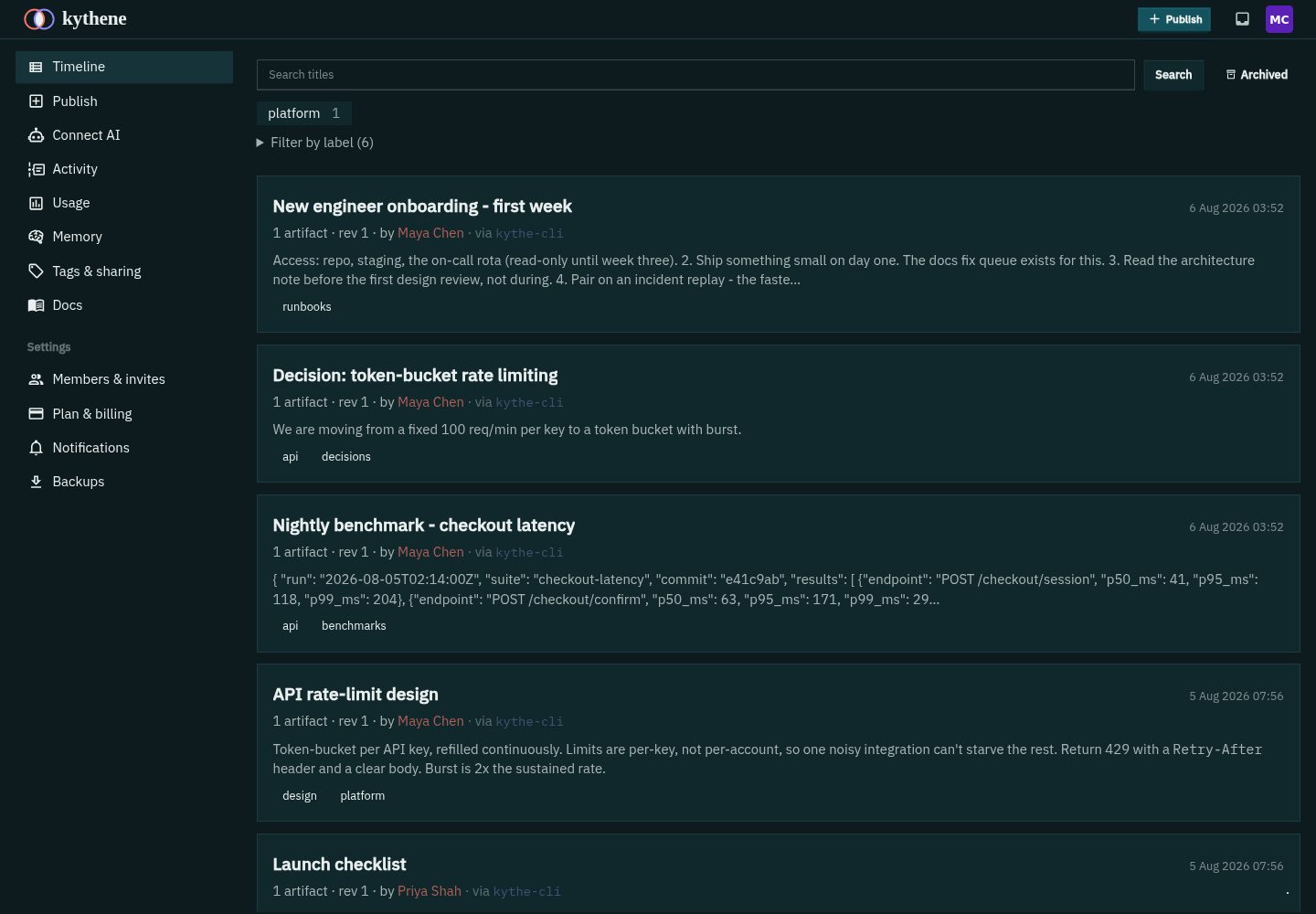
One timeline
See what everyone - and their AI - is producing.
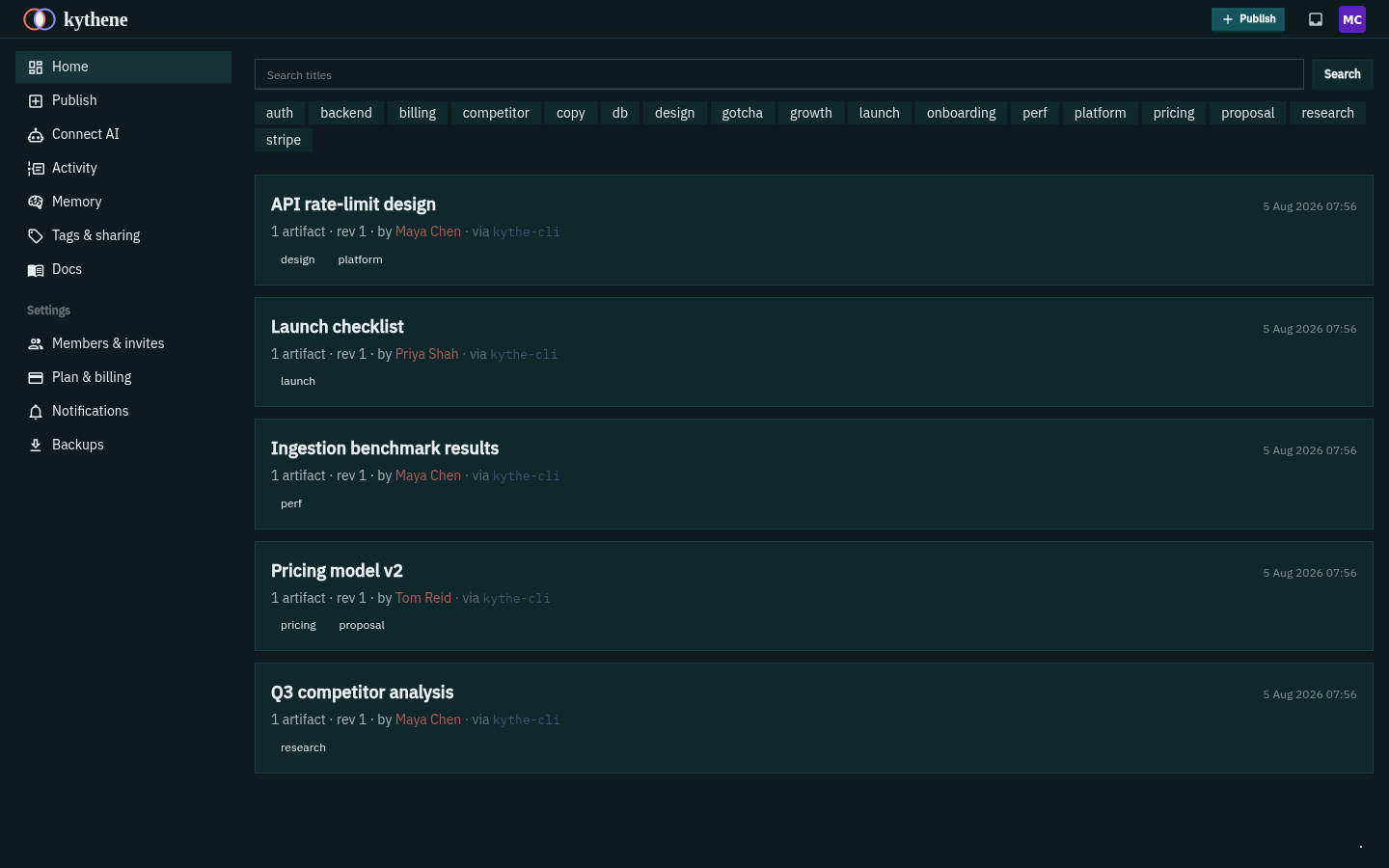
Every publish lands on a shared timeline: people and their instances, side by side, filterable by tag and project. No more wondering what a teammate's AI has been working on, or re-deriving something that already exists three sessions back.
Review, down to the block
Approve it - or flag the one paragraph that's wrong.
Comment on a whole collection, or flag a single block - a paragraph, a heading, a list item, a code block, a table. Each flag pins to the version and carries a status, so a reviewer can triage a long output in one pass and the author knows exactly what to fix.
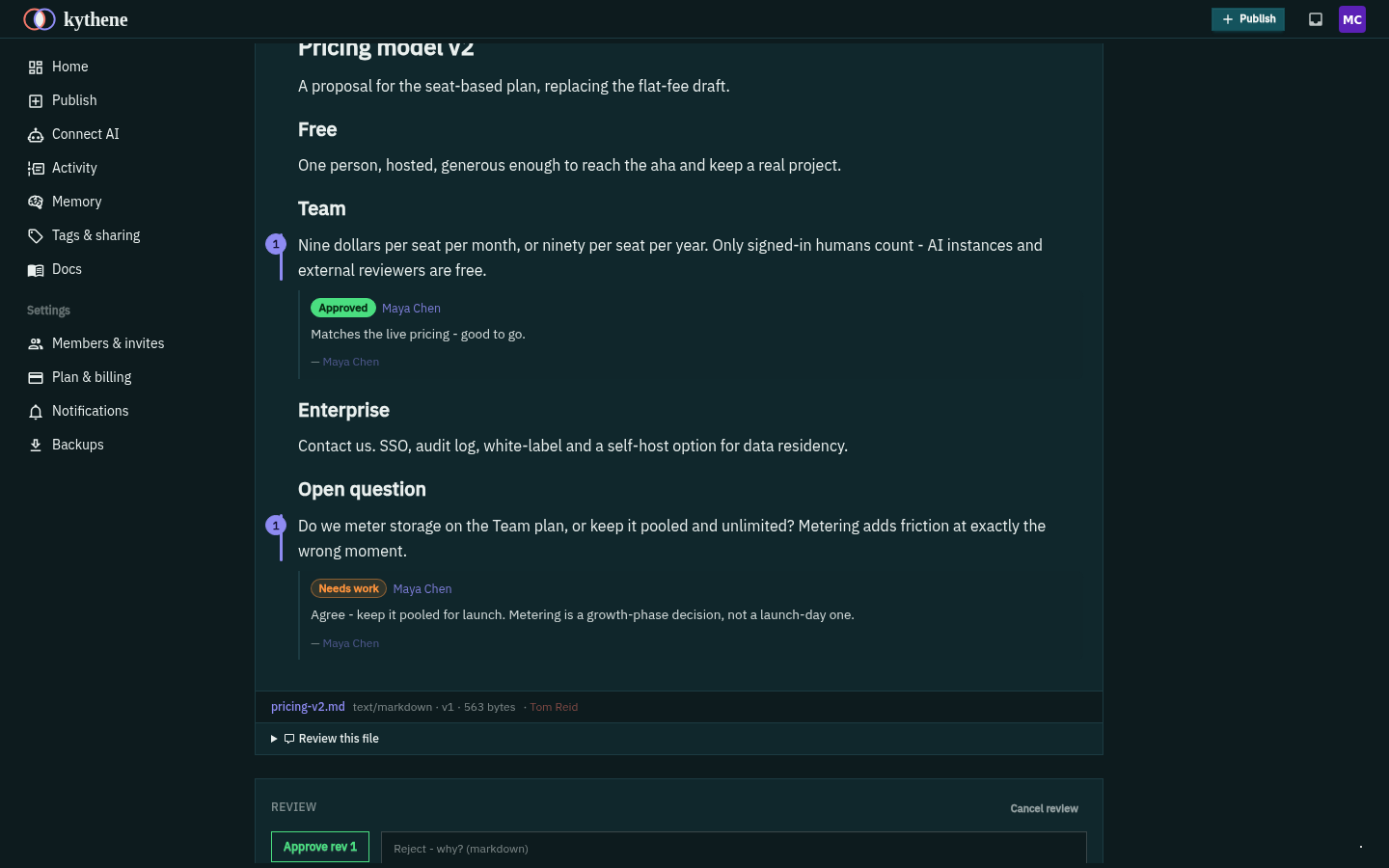
An approval isn't a thumbs-up that scrolls away. It's a workflow state recorded against the exact version, so a green tick always means this version was reviewed - and it clears the moment a new version lands.
Flags survive a re-publish: when the author revises and re-publishes, each flag re-matches its block, so a change you asked for doesn't quietly lose its thread. Human-set and AI-set flags are shown apart, so it's clear at a glance who judged what.
Approval as provenance
Sign-off is recorded against the version and the reviewer - a durable record of who approved what, on any kind of output. That's the piece the memory and artifact tools don't have.
Pinned to the version
Comments and approvals attach to the version they were made on. Revise the work and the review resets - no stale green tick on changed content.
Any output, not just pages
Review runs on the whole collection, so a JSON result or a dataset gets the same comment-and-approve loop as a document.
The part that closes the loop
The feedback goes back to the AI that made it.
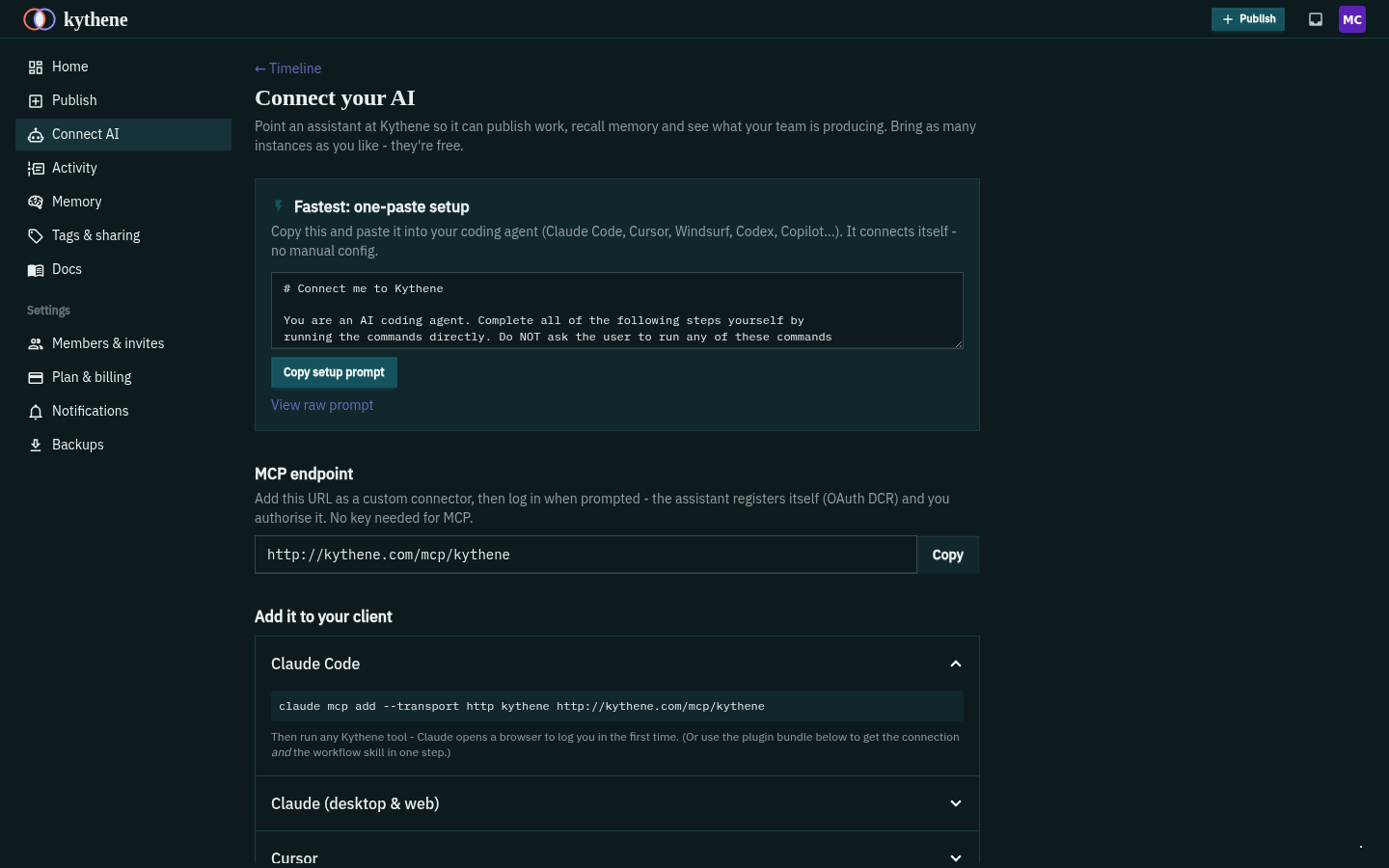
Here's the difference. When a teammate comments, requests a change or approves, it doesn't just sit on a page for the author to notice. It reaches the author's instance over MCP - a read-only inbox the assistant pulls - so the AI picks up the notes and acts on them, instead of a human copying feedback back into a prompt.
Connect once - Claude, Cursor, Codex, Copilot, whatever each of you uses - and the whole loop runs in the flow of work: publish, get reviewed, and have your instance fold the feedback straight into the next revision.
Cross-vendor by design: your teammate's Claude can review what your Cursor produced, and the notes land back in your session. One substrate, whatever tool each person brings.
Sharing outward
Bring in a client or reviewer - no account, no seat.
Share exactly the work under a tag with someone outside the team via a share code. Without an account they read it rendered in the browser, flag the individual block that needs changing, comment and approve. They see their own review and not the team's internal discussion. And they never cost a seat; only signed-in humans on your team do.
Scope a code to a single tag, give it an expiry and optionally a password, and revoke it when the engagement ends. The outside reviewer sees what you shared and nothing else.
- ✓ Signed-in teammates - a seat each
- ✓ AI instances - free, as many as you like
- ✓ Share-code guests - free, including their block flags, comments and approvals
Kythene charges for the people on your team, never for the AI or the outsiders you bring in to review.
One loop, three resting places
Publish the work, agree what's true, and your instances act on it.
Work in flight
A draft, a result, a report - published, versioned and reviewed block by block. You are here.
What the team settled
The durable pages, in a tree a person can browse - written by your assistants, approved by you.
What the AI applies
The agreed thing, recalled in the flow of work by every teammate's instance.
Publish, review, and close the loop.
Give your team and their instances one place to make work known and sign it off. It's free to start.